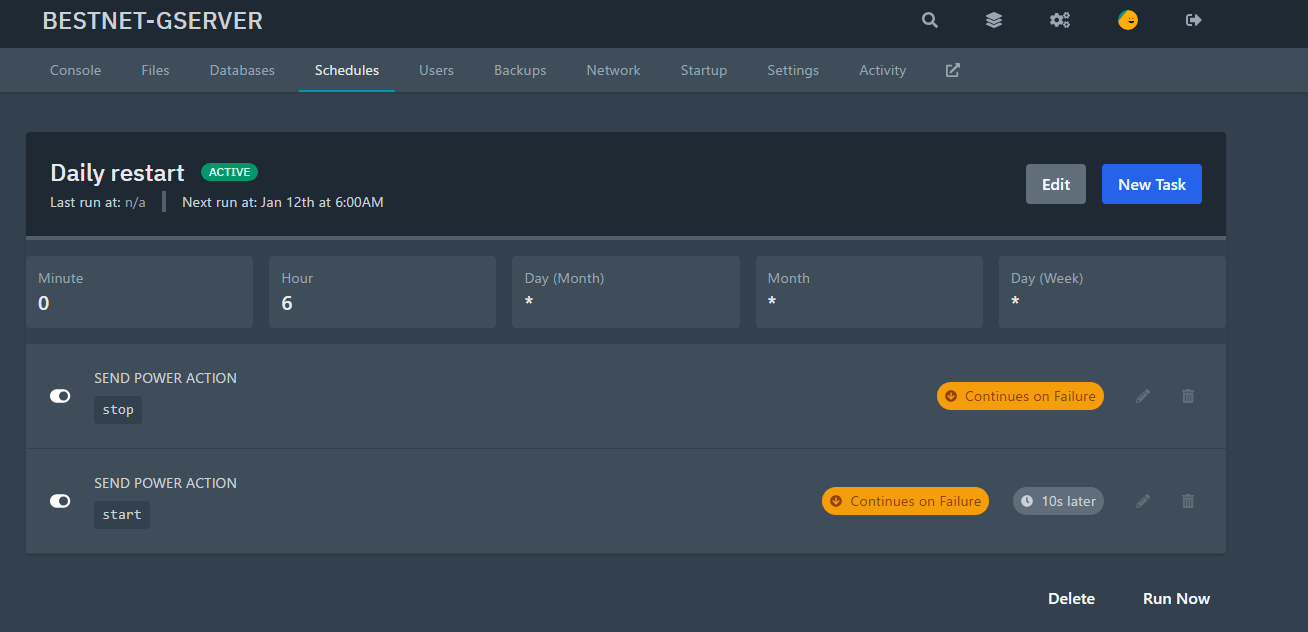
Schedule Configuration
Click the Schedule tab in the game panel and click ‘Create schedule’.
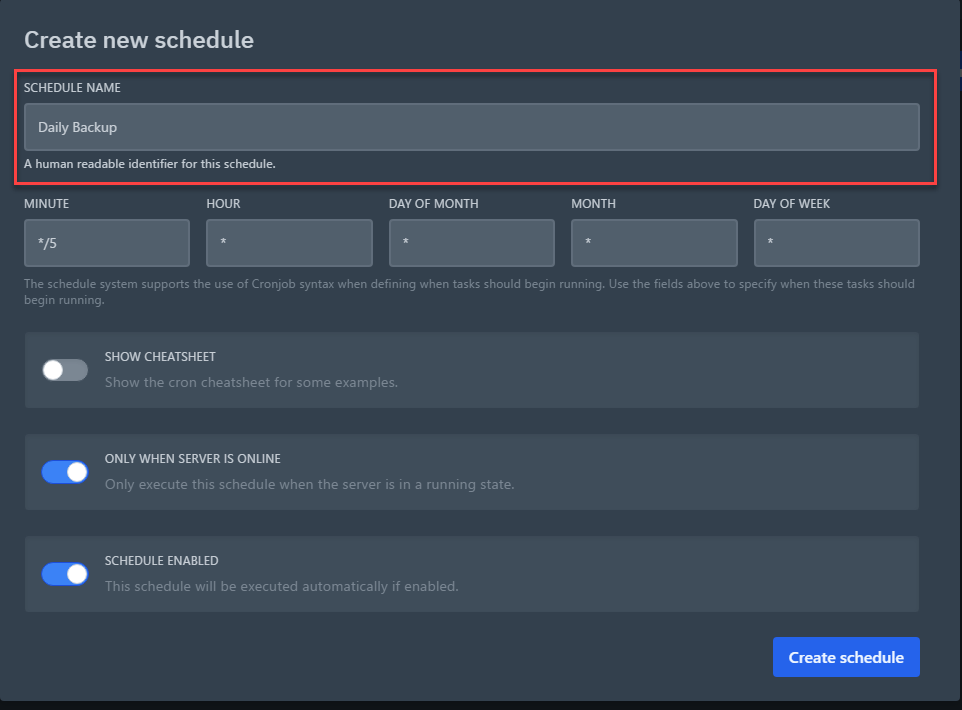
Set Schedule Name
Set any schedule name of your choice. In the configuration example of this guide content, it is set as Daily Backup.
Time Configuration
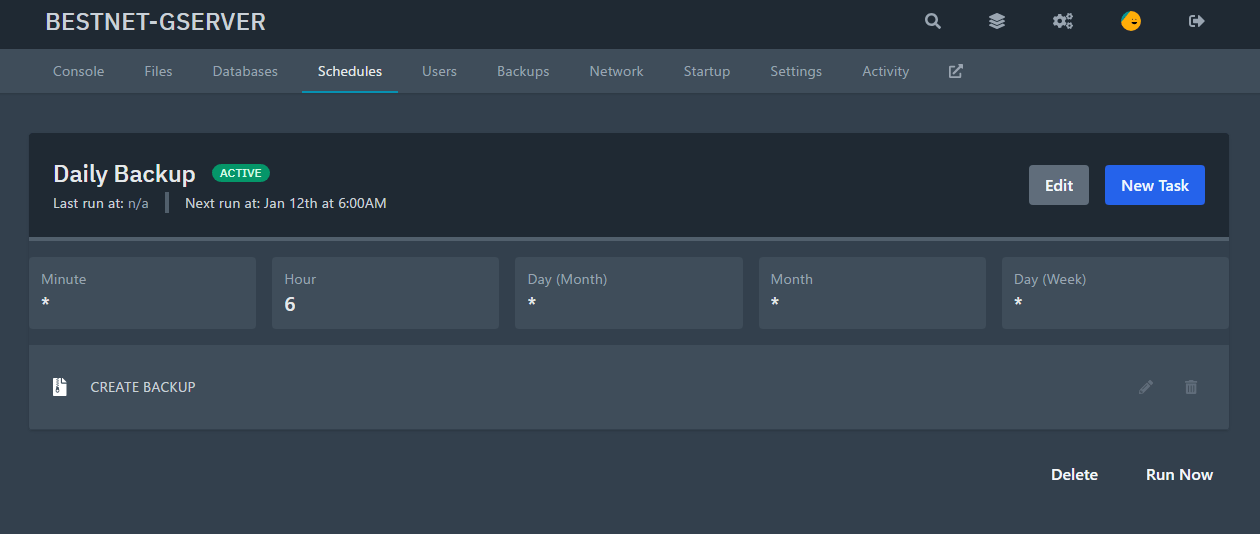
In the configuration example of this guide content, the task is set to execute daily at 6:00 AM. The actual screen is explained as follows.
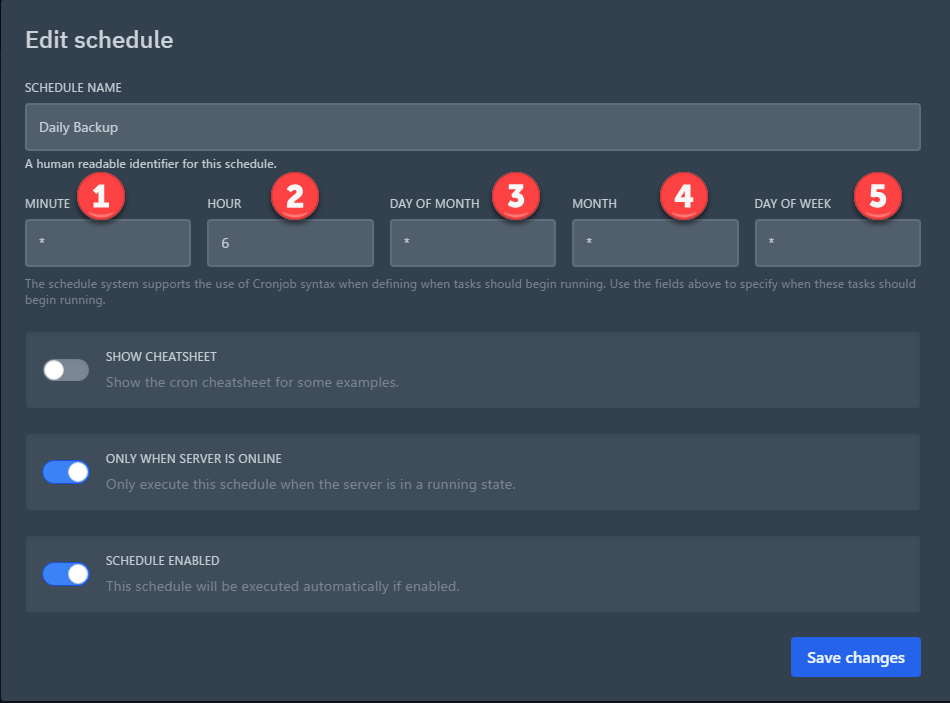
① Minute
② Hour
③ Day
④ Month
⑤ Week
After entering the settings, click Save changes.
Creating Tasks Associated with the Schedule
You can set tasks associated with the created schedule. The available tasks are as follows.
1. (Send command) Execute any command
2. (Send power action) Power operation
3. (Create backup) Create backup
※ If multiple tasks are set to execute simultaneously at the same time, one of the tasks may fail.
In such cases, use ‘TIME OFFSET (IN SECONDS)’ to set the wait time before task execution.
For example, if a restart is scheduled at the set time, set the Start task to execute 10 seconds after the Shutdown task.
Configuration Examples
Execute backup daily at 6:00 AM
Restart game server daily at 6:00 AM (Start task executes 10 seconds after Shutdown task)