
目次
Overview
The HumanitZ server multiplayer sleep setting controls whether to enable/disable in-game time progression while resting in bed.
How to Edit the Multiplayer Sleep Setting on a HumanitZ Server
1. Log in to the Game Panel.
2. Stop the server.

3. Navigate to the [Start up] tab.

4. Change the desired value in the [MULTIPLAYER SLEEP] field.
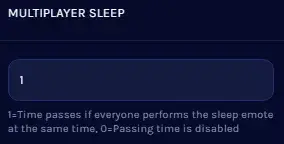
| Setting | Description |
0 | Time passage is disabled while players are sleeping. |
1 | Time progresses when all players are sleeping. |