Home
Game Servers
Locations
Support
Game server Wiki
FAQ
Contact
News
Company
Display Based on the Specified Commercial Transaction Act
About Us
Affliate
Client Portal
G
A
M
E
P
A
N
E
L
Home
Game Servers
Locations
Support
Game server Wiki
FAQ
Contact
News
Company
Display Based on the Specified Commercial Transaction Act
About Us
Affliate
Client Portal
View Categories
Home
Game-Server Wiki
HumanitZ
How to Change PvP Settings on a HumanitZ Server
How to Change PvP Settings on a HumanitZ Server
目次
How to Change PvP Settings on HumanitZ Server 1.Game Panel login.
2. Stop your server.
3. Navigate to [Start up].
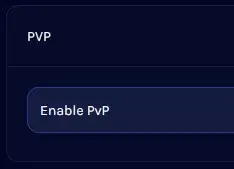
4. Find PvP.
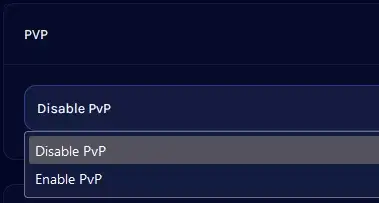
5. Open the dropdown and select to turn PvP on or off.
6. Start your server.
V Rising Server
Satisfactory Server
7Days to Die Server
Enshrouded
HumanitZ
SOUL MASK
7Days to Die
V Rising
Myth of Empires
PALWORLD
RUST
Valheim
ARMA3
Project Zomboid
Conan Exiles
How to Change PvP Settings on HumanitZ Server
1.
Game Panel
にログインします。
2.
Stop the server
3.
Navigate to
[Start up]
4.
Find
PvP
5.
Open the dropdown and select PvP On/Off
6.
Start the server
How to Change Death Penalties on a HumanitZ Server
How to Spawn Items and Vehicles on a HumanitZ Server
Scroll to top
EN
日本語
English
✓
한국어
简体中文